


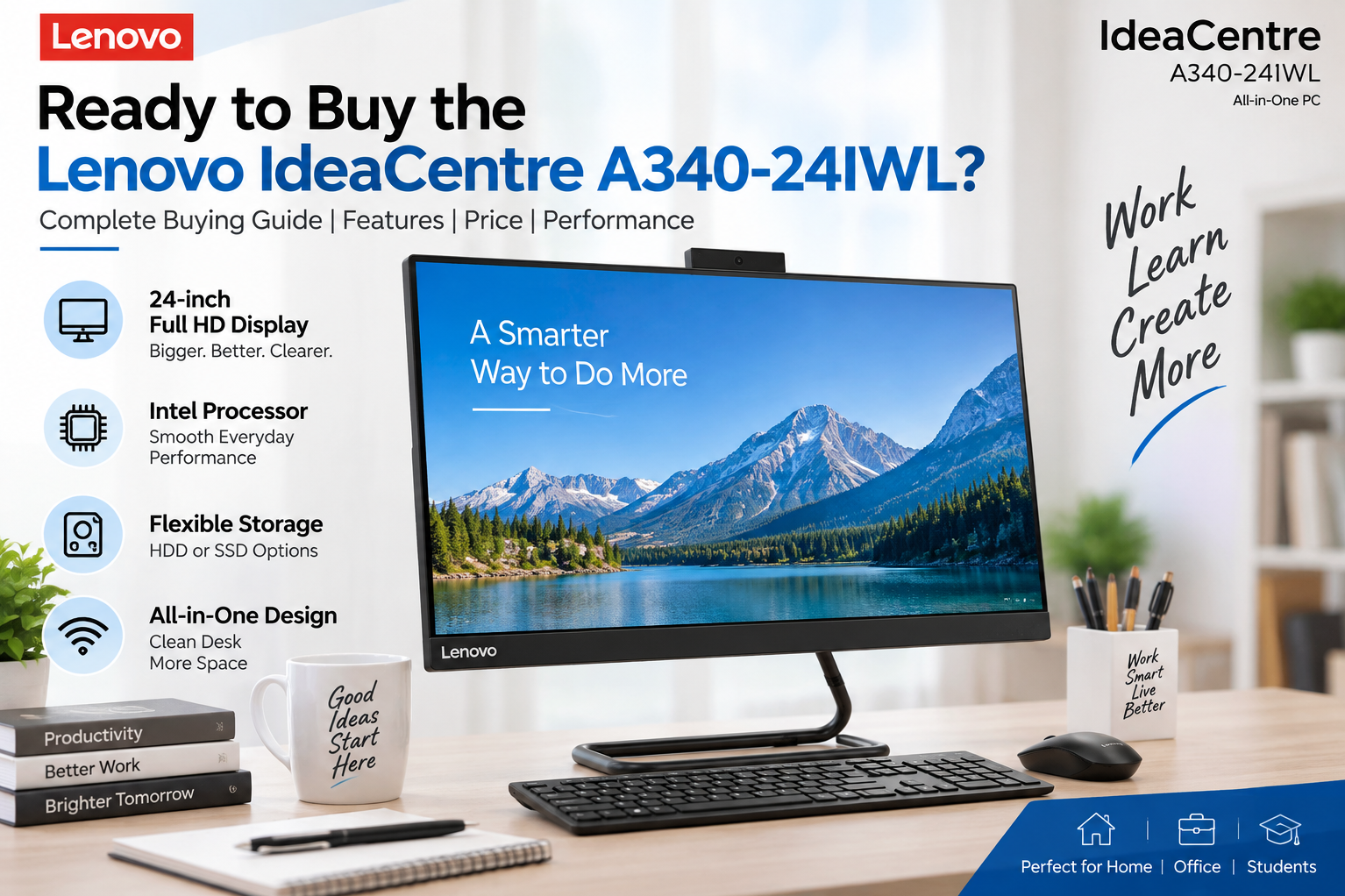
Ready to Buy the Lenovo IdeaCentre A340-24IWL? Here’s What You Should Know Before You Purchase
If you are looking for a compact all-in-one desktop for everyday work, home use, entertainment, online learning, or office tasks, the Lenovo IdeaCentre A340-24IWL can be an option worth considering. Its all-in-one design combines the display and computer hardware into a single unit, helping save desk space while maintaining a clean and organized setup.
Before you purchase the Lenovo IdeaCentre A340-24IWL, however, it is important to understand its specifications, intended usage, upgrade possibilities, connectivity, and overall value. Different configurations of the A340-24IWL were sold with different processors, memory, storage and operating-system options, so checking the exact configuration is essential.
What Is the Lenovo IdeaCentre A340-24IWL?
The Lenovo IdeaCentre A340-24IWL is a 24-inch all-in-one desktop computer designed for users who want a traditional desktop experience without the space requirements of a separate monitor and computer cabinet.
The model belongs to Lenovo's IdeaCentre family and was designed primarily for everyday computing. Depending on the configuration, it can be used for tasks such as web browsing, Microsoft Office applications, video calls, document management, online classes, media consumption and other routine computing requirements.
Its integrated design makes it particularly suitable for home offices, reception areas, educational environments and workplaces where desk space is limited.
Lenovo IdeaCentre A340-24IWL Specifications
One important point to remember when buying this model is that A340-24IWL refers to a model family rather than one single hardware configuration.
Depending on the exact variant, specifications can differ. Buyers should verify the processor, RAM, storage, graphics, operating system and display configuration mentioned by the seller before purchasing.
The A340-24IWL series was available with Intel processors from its generation, along with different memory and storage configurations. Some configurations also included dedicated graphics, while others relied on integrated graphics.
The 23.8-inch-class Full HD display is one of the main attractions of the all-in-one format, providing a larger workspace compared with conventional compact laptops.
Why Consider the Lenovo IdeaCentre A340-24IWL?
The biggest advantage of an all-in-one desktop is convenience. Instead of purchasing a separate monitor, CPU cabinet and multiple connecting cables, the computer components are integrated behind the display.
This creates a cleaner workstation and can be useful if you have limited desk space.
The large display is also convenient for office applications. Working with spreadsheets, documents, browser tabs and business software can be more comfortable on a desktop-sized screen than on a conventional laptop.
For basic productivity, the A340-24IWL can therefore provide a practical desktop setup without requiring a large computer cabinet.
Is the Lenovo IdeaCentre A340-24IWL Good for Office Work?
For everyday office activities, the answer depends primarily on the exact hardware configuration.
Tasks such as Microsoft Word, Excel, PowerPoint, email, browsing, video conferencing, billing software and basic business applications generally do not require a high-end desktop.
However, if your work involves heavy video editing, professional 3D applications, advanced CAD, large-scale data processing or modern gaming, you should carefully check the hardware configuration and compare it with newer systems before purchasing.
For businesses purchasing multiple units, RAM and SSD configuration should receive particular attention because they can have a noticeable effect on everyday responsiveness.
Lenovo IdeaCentre A340-24IWL: SSD or HDD?
Storage is another important factor when buying a used, refurbished or older A340-24IWL.
A system equipped with an SSD generally provides faster boot times and quicker application loading compared with an older mechanical hard drive.
If you are considering an A340-24IWL with an HDD, check whether the particular configuration supports a storage upgrade and whether the seller has already replaced the original drive with an SSD.
For everyday productivity, an SSD upgrade can make an older desktop feel considerably more responsive.
Can You Upgrade the Lenovo IdeaCentre A340-24IWL?
Upgradeability depends on the exact A340-24IWL configuration and the component you want to replace.
Before purchasing, check the available RAM configuration, storage interfaces and supported component specifications. All-in-one computers can have more restricted upgrade options than conventional desktop towers because of their compact internal design.
If you are purchasing a used unit, ask the seller whether the RAM or storage has already been upgraded and whether the original components are included.
Who Should Buy the Lenovo IdeaCentre A340-24IWL?
The Lenovo IdeaCentre A340-24IWL can make sense for buyers who need a compact desktop for routine computing.
It may suit home users, students, small offices, reception desks, administrative work, billing counters and general business applications, depending on the exact configuration.
Its all-in-one design can also be attractive if you want to minimize cable clutter and keep your workspace visually clean.
Who Should Consider a Newer Computer Instead?
Technology has moved forward considerably since the A340-24IWL generation was introduced.
If you need demanding applications, modern gaming, intensive content creation, AI applications or long-term performance headroom, comparing the A340-24IWL against newer Lenovo IdeaCentre models and other current desktops is sensible.
The age of the machine also becomes particularly important when buying a refurbished or second-hand unit. Battery concerns are irrelevant because this is a desktop, but the condition of the display, storage drive, cooling system, power adapter and internal components should still be checked.
What to Check Before Buying a Lenovo IdeaCentre A340-24IWL
Before completing your purchase, verify the exact model number and configuration rather than relying only on the A340-24IWL name.
Check the processor generation, installed RAM, storage type and capacity, display resolution, graphics configuration, operating system and included accessories.
If purchasing a used or refurbished unit, inspect the screen for dead pixels, check all USB and display ports, test Wi-Fi and Bluetooth, listen for unusual fan or hard-drive noise, and verify that the system boots properly.
Also ask about warranty coverage and return conditions. These details can be particularly important when purchasing an older all-in-one desktop.
Lenovo IdeaCentre A340-24IWL Price: Is It Worth Buying?
The value of the Lenovo IdeaCentre A340-24IWL depends heavily on its configuration, condition and asking price.
A higher-RAM configuration with an SSD can provide a different ownership experience from a basic configuration with an older HDD. Similarly, a professionally refurbished system with warranty can be more attractive than an unknown-condition second-hand unit.
Instead of judging the A340-24IWL solely by its model name, compare the actual processor, RAM, storage and condition with other computers available at the same price.
Final Thoughts
The Lenovo IdeaCentre A340-24IWL is designed around simplicity: a large display, integrated computer hardware and a compact footprint in one desktop unit.
If your requirements are primarily everyday office work, education, browsing, entertainment and general productivity, the right A340-24IWL configuration can still be useful. However, because different configurations exist and the model is from an older generation, checking the exact specifications and condition is essential before buying.
Ready to buy the Lenovo IdeaCentre A340-24IWL? Compare the exact configuration, check the condition, verify the warranty and make sure the processor, RAM and storage meet your requirements before placing your order.